For the first week of this course, I was met with several interesting new tasks that I can add to my ever-growing collection of skills. This month will introduce motion graphics and its empact on media design. However, it’s always good to take stock of what we’ve learned so far.
Synthesizing
This week’s Design challenge featured completing After Effects tutorials offered by Adobe and organizing them in a video for presentation of proof. This software is new for me and so is the use of Adobe Premiere Pro which I learned the basics of in order to complete this challenge. The difficulty in the case of using Premiere Pro was that the rendered files appeared small in the final cut and I was not able to figure out why before having to turn the assignment in. Despite that, it was great learning how to animate backgrounds, create 3D imagery and other visual effects.
Problem Solving
Other problems arose as well such as my final video not exporting. This was due to a video file being accidentally renamed and not replaced in the final video. Small difficulties like this and making sure captions in the video were visible were ever present during the task. At times, a quick Google search could fix the issue or rewatching the tutorial to confirm a missed step.
Innovative Thinking
As my videos were turning out to be smaller in scale than expected, I needed to ensure that each video was represented when the video was viewed. To account for this, I chose a type that would display the captions clearly and adding shadowing to the backs of the text so it would pop when necessary to sharpen visability.
Acquired Competencies
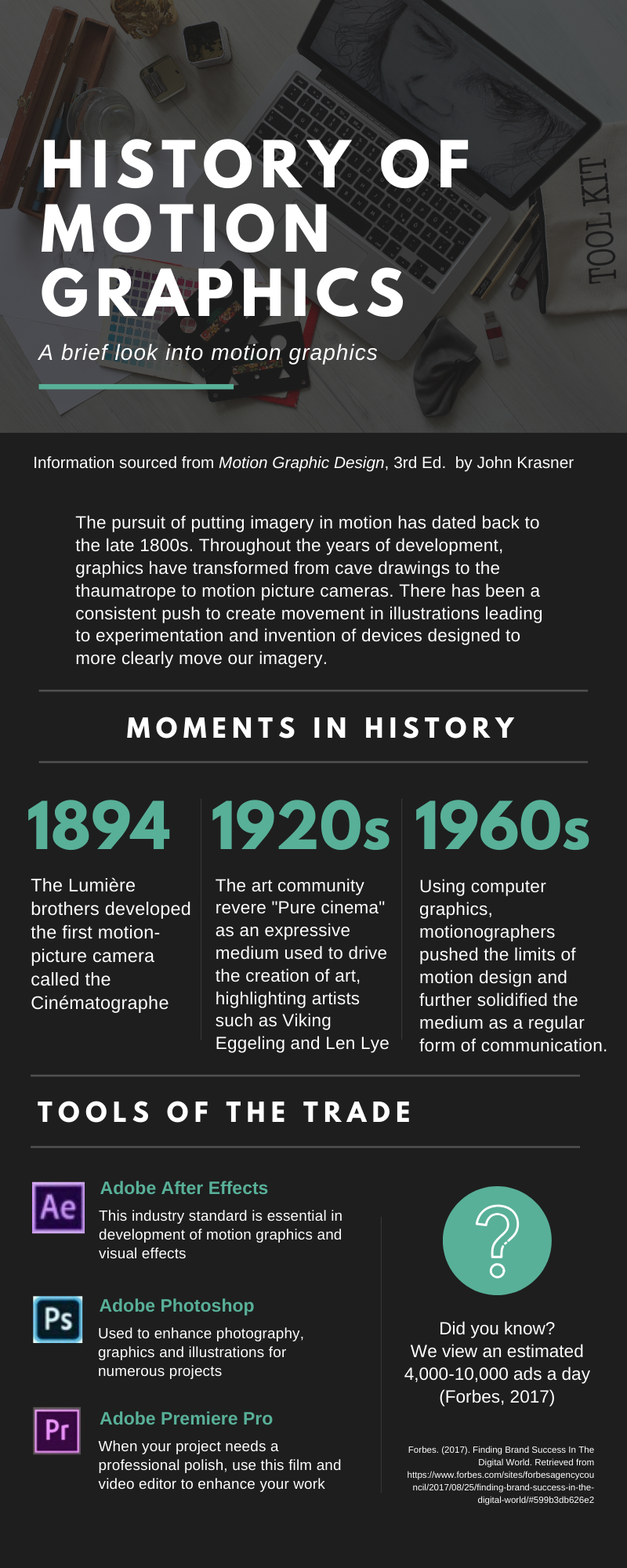
In addition to learning how to use After Effects and Premiere Pro, I have also created my first infographic. This was not easy, as I have not designed an infographic before. One of the suggestions by Krum (2013) was that designers follow the 5-second rule when putting together their infographic. The reader should be able to read through and understand the infographic in as little as five seconds. The exercise was helpful in giving me the ability to put these concepts into practice. Using Canva, I was able to arrange the following infographic to review what I learned about the history of motion graphics.
Overview of skills learned this week
Academic
Motion graphics (conceptual)
Diegetic sound (conceptual)
Non-diegetic sound (conceptual)
Occupational
Adobe After Effects (technical)
Adobe Premiere Pro (technical)
Storyboarding (technical)
Case study (technical)
Video editing (technical)
Creatign infographics (technical)
References:
Krum, R. (2013). Cool infographics: Effective communication with data visualization and design. R. Krum (Ed.). Indiannapolis, IN: Wiley. Retrieved from https://learning.oreilly.com/playlists/e6eab99c-59c1-45ad-8861-aa9a2490ab34

